How to remove 'Powered by Shopify' from the footer
Removing the "Powered by Shopify" Tag
By default, Shopify themes include a small credit in the footer that reads "Powered by Shopify." If you’d prefer a cleaner look that keeps the focus entirely on your brand, you can remove this text in just a couple of minutes.
There are two ways to do this: the quick way (using the text editor) and the direct way (editing the code).
Option 1: Edit Theme Content (Recommended)
This is the easiest method and doesn't require opening any code files.
- From your Shopify Admin, go to Online Store > Themes.
-
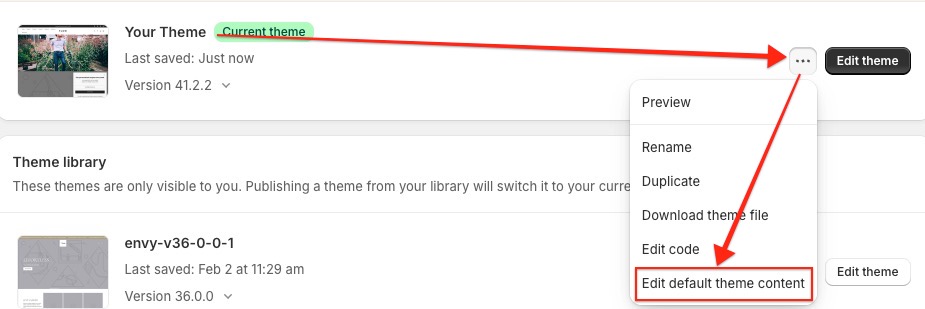
Find your Eight theme, click the three dots (...) button, and select Edit default theme content.
-
Click the Search icon in the top right of the screen.

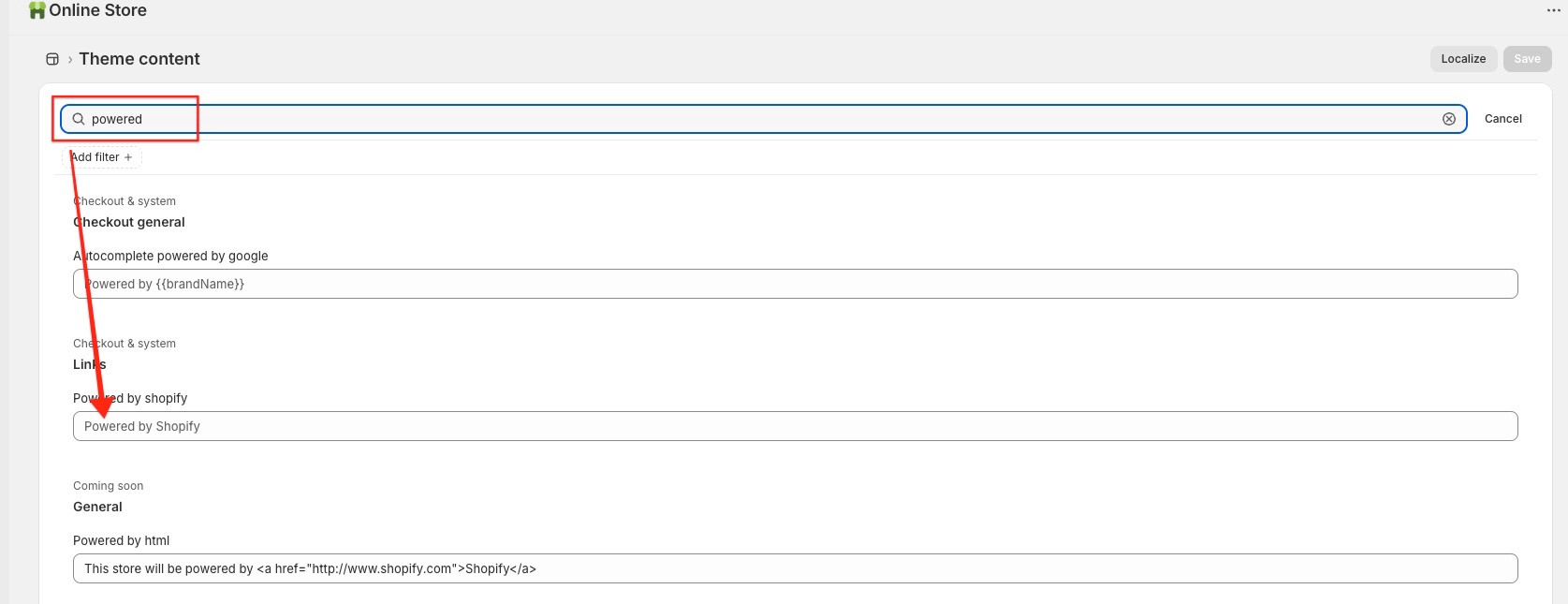
- In the Filter items search box at the top, type "powered".
- Locate the Powered by Shopify field.
-
Press your spacebar once in the text box (this replaces the default text with a blank space).
- Click Save.
Remember: If your store is currently password-protected, repeat the "single space" step for the Powered by Shopify HTML field to remove the link from your "Opening Soon" page as well.
Option 2: Edit the Theme Code
If you prefer to remove the functionality entirely from the template, you can delete the specific Liquid tag.
- Go to Online Store > Themes.
-
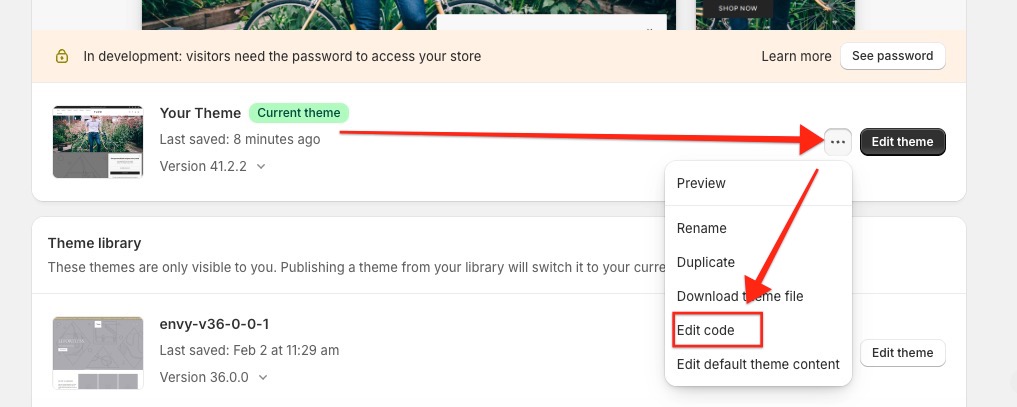
Click the three dots (...) button and select Edit code.
-
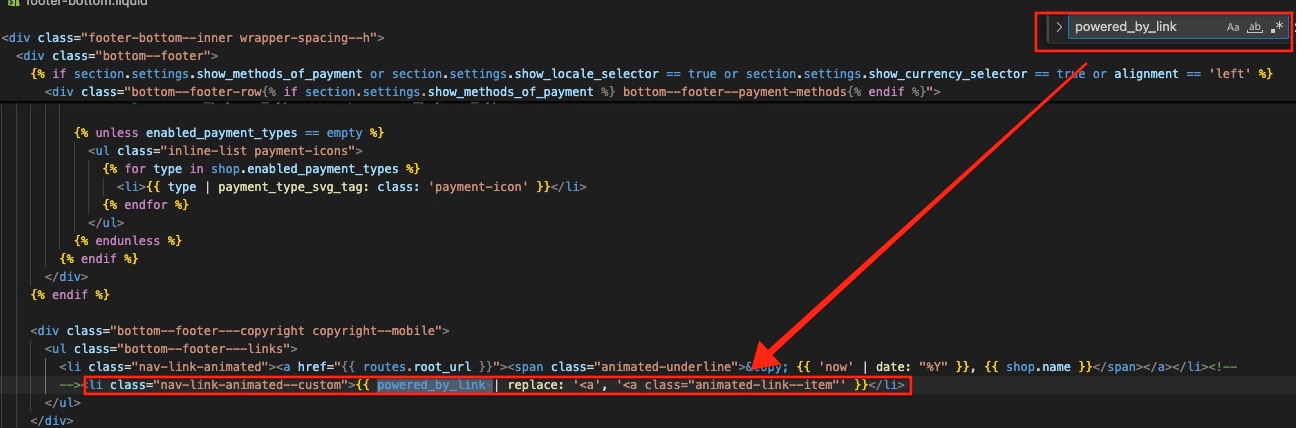
In the sidebar, open the Sections folder and click on
footer-bottom.liquid.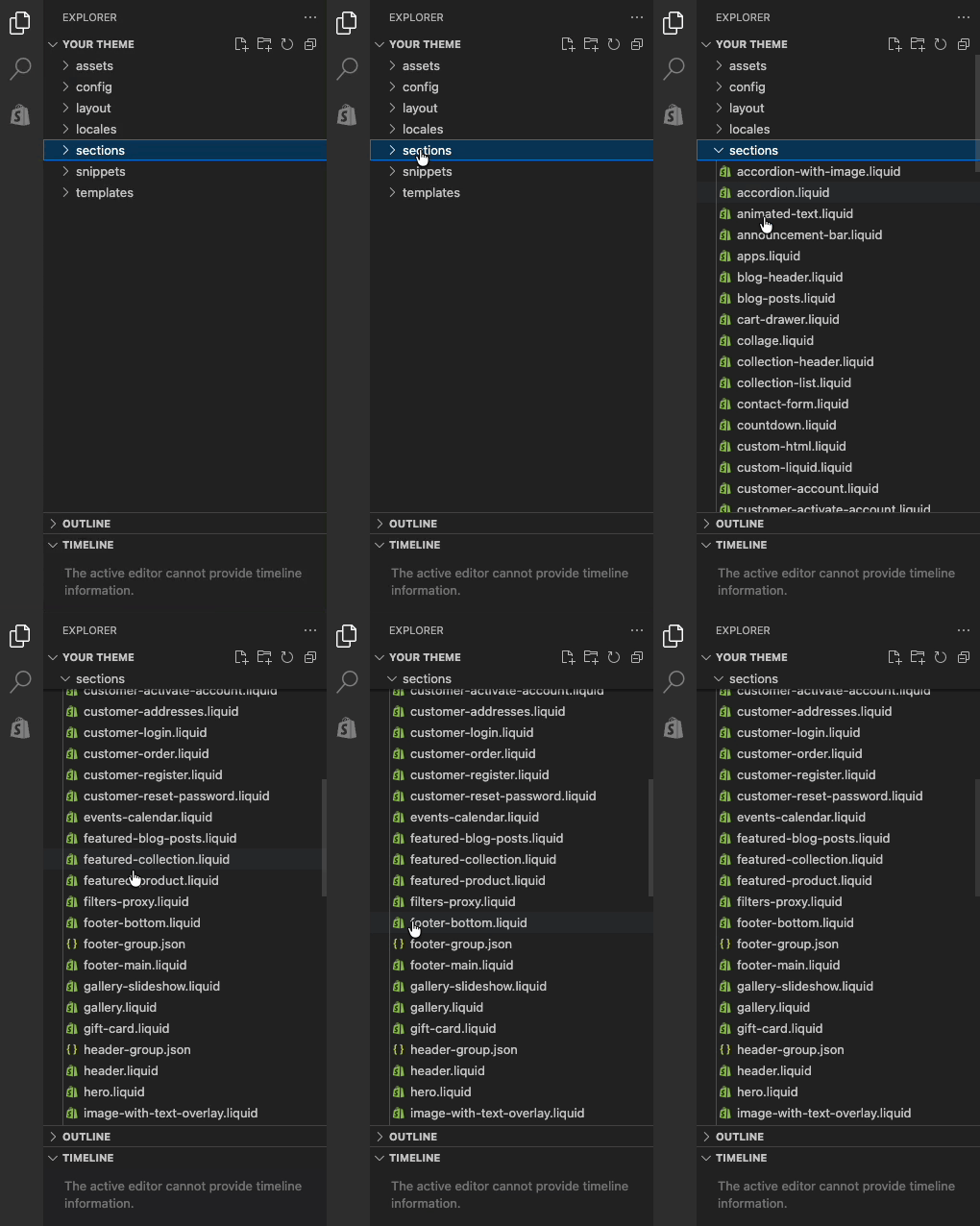
- Use
Ctrl + F(PC) orCommand + F(Mac) to search for:{{ powered_by_link }}. -
Delete that tag.
- Click Save.
Powered by Shopify will now be gone from your theme's footer.